Users
Users in Webmarketer represent the list of users who performed at least one event on your website. They are derived from the user fields configured on your events, which means every event is attached to a user.
Thanks to this feature, you can browse every user Webmarketer collected from your website directly from the User list page.
A user's detail page gathers all of their activity (events, interactions) as a timeline, giving you a chronological view of your user's journey.
User reconciliation
Webmarketer handles user reconciliation automatically.
Reconciliation means determining that two different users who performed actions are in fact one and the same person. They can then be merged, leaving only the user who actually exists.
Reconciliation modes
Webmarketer offers three reconciliation modes:
- Reconciliation based on the browsing identifier (cookie)
- Reconciliation based on identical personal data (for example: email address, phone number, and so on)
- Reconciliation based on accesses (for example: signing into an account, signing up, customer number, and so on)
Through those three mechanisms, Webmarketer is able to merge different users.
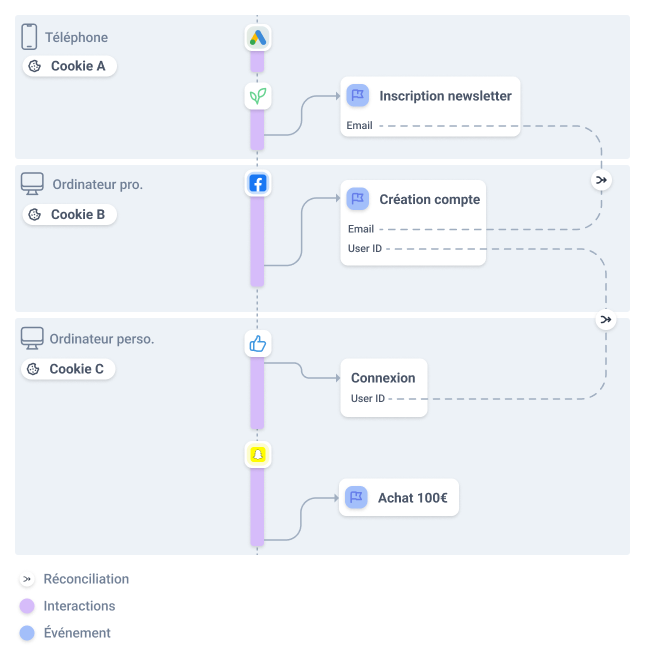
Example of the three reconciliation modes
Merging user fields
When users are merged, some user fields may hold different values.
For example, a visitor submits two forms 15 days apart:
- D1 — form 1 submitted
- First name:
Jean-Paul - Email:
jeanpaul@webmarketer.io
- First name:
- D+15 — form 2 submitted
- First name:
Jean Paul - Email:
jeanpaul@webmarketer.io
- First name:
The email address, identical in both submissions, makes it possible to reconcile the user. Since the First name values differ, however, Webmarketer assigns both
values to the First name user field.
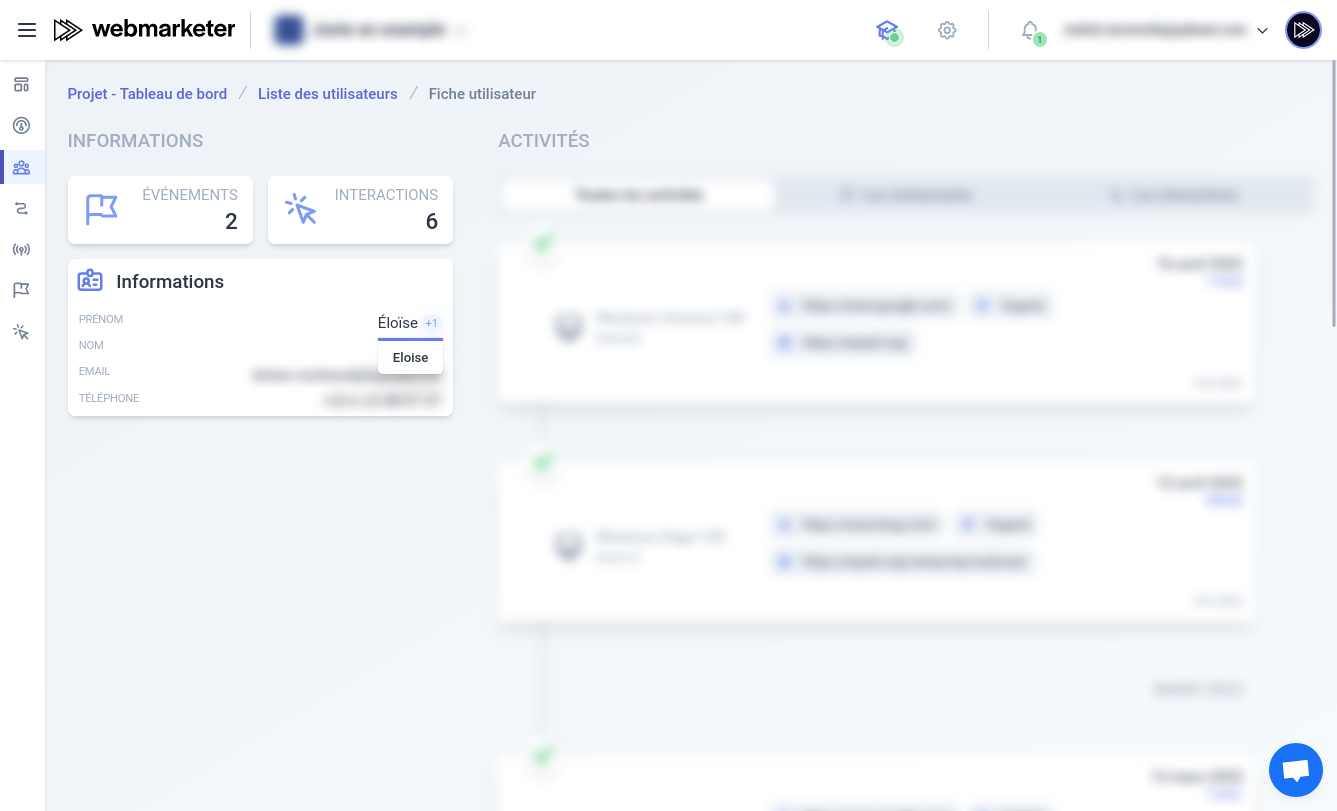
Example of a user field with multiple values
Merging events and interactions
When users are merged, all of their interactions and events are automatically gathered and attached to the user that is kept.
Every time a user's customer journey is updated, Webmarketer automatically recomputes all the affected attributions.
The next section explains how Webmarketer refines your data over time.
Retroactivity of reconciliation
Depending on what your website(s) offer, reconciliation may happen several days after the visitor's first interaction.
In such a scenario, the two clusters of sessions evolve in parallel (desktop and mobile browsing, for instance), and the events that happened on mobile only take the mobile sessions into account.
The effect is that the event is only attributed to the marketing actions that reached the visitor on mobile, without accounting for the campaigns that reached them on desktop.
If, a few days later, the visitor comes to your website on desktop and signs into their account (or sends an event carrying identification fields), Webmarketer is then able to reconcile the two clusters of sessions.
When that happens, Webmarketer automatically recomputes all of the user's past attributions to account for their complete customer journey (desktop and mobile).
Reconciliation usually highlights the need to carefully design your strategy for identifying customers, users and visitors. The more ways you have to identify your users, the more accurate the customer journey — and the more accurate the attribution of your events.
Customer portals are generally very effective, since features reserved for signed-in users make it easier to capture account identifiers.
Should you not have such features, no worries: reconciliation based on user fields remains very effective too.