User fields
Events are not only useful to assess the performance of your marketing campaigns.
They also help build up a picture of the user and reconcile their browsing across their various devices.
That reconciliation is made possible by user fields, which let you declare which field(s) sent along with the event will build up the picture of the user.
Declaring user fields
The first step towards a user profile is to declare which information Webmarketer will collect about your users. That configuration happens at the project level.
Like any event field in Webmarketer, user fields are declared with a type (text, number, currency, and so on).
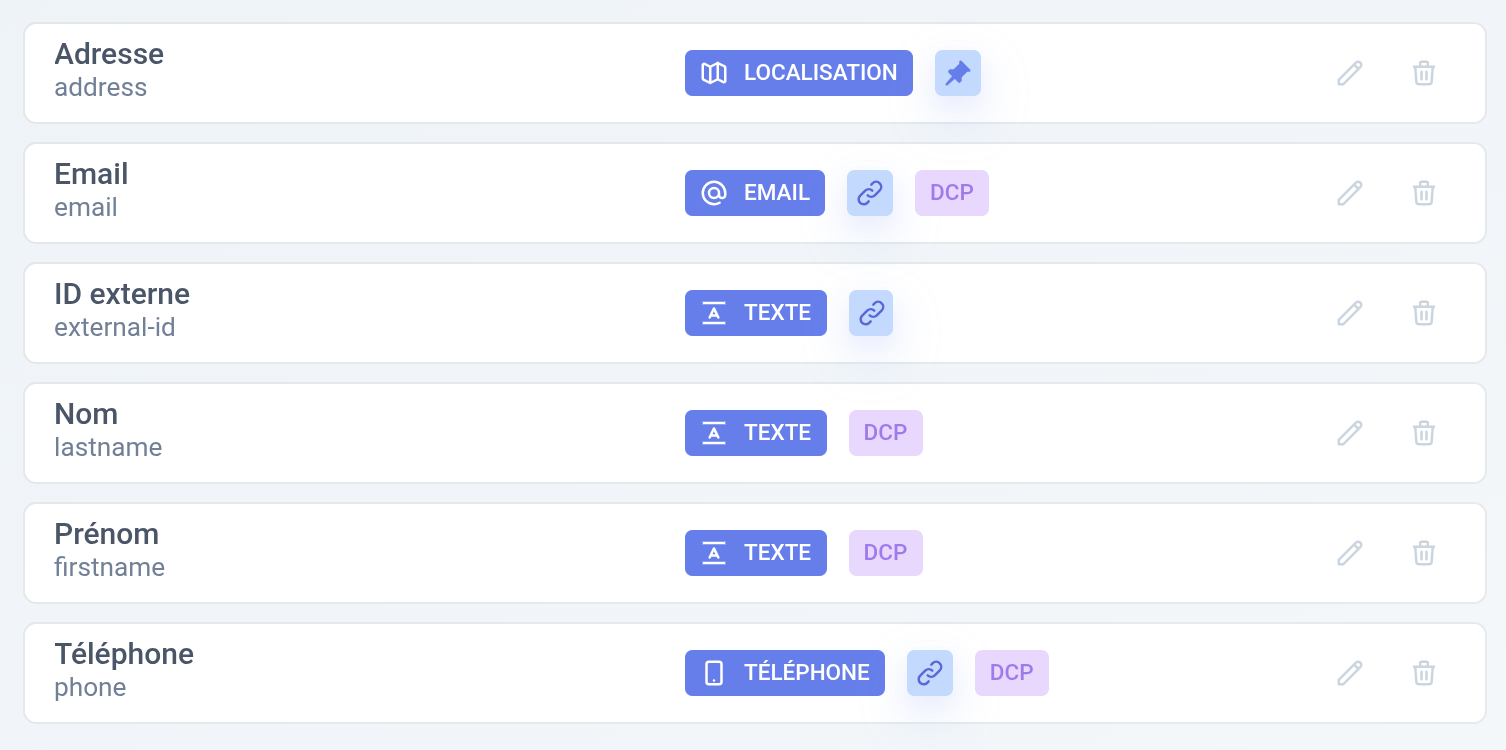
Example of user fields in a project
Use within event types
Once the fields are declared in your project, you then have to state in which event types those fields are available, for example:
- The
emailfield is available in events of type Contact form, newsletter, login, order - The
last namefield is available in events of type Contact form, order - The
addressfield is available in events of type New order and Quotation
Once all of that is declared, Webmarketer can then extract the data from an event to build your users' profiles:
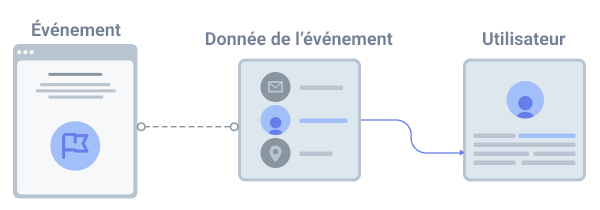
How user data is extracted
Configuration options
Reconciliation field
When you create a user field, you can mark it as a "reconciliation field". A reconciliation field identifies the user when the event is received, and enables the possible reconciliation of users.
A reconciliation field should be a field that is unique to each user and that does not change or barely changes over time.
Here are a few examples of fields that make good reconciliation fields:
- User ID
- Phone number
When a new event is received, Webmarketer looks the user up using the reconciliation field(s).
- If a user exists, the event data is used to enrich their profile.
- If the user does not exist, a new user is created from the event data.
- If several users exist, Webmarketer merges them into a single one.
Location field
When creating a user field of type Address, Webmarketer lets you use the collected data to locate your users.
Only one location field can be defined per project.
When no address field is collected, your users are located from their interactions (based on the first two bytes of their IP address); see the User location page to learn more.
Personally identifiable information
Webmarketer lets you configure a maximum retention period for your users' personal data. By declaring a user field as personally identifiable information (PII), Webmarketer anonymizes that field once the retention period is reached.
To learn more about the anonymization of personal data, see the Data anonymization page.