Event configuration
For Webmarketer to analyze your website's events, you have to configure their schema. A schema is made up of fields, which can be of different types.

User field
You can use the fields coming from your user configuration.
Statistic field
Statistic fields are used to analyze the contributions of your traffic sources more precisely.
Such a field can be of two types: Number and Currency.

When sending an event with a statistic field of type Currency, you must provide both the amount and the currency.
This field is converted into your project's currency when Webmarketer ingests the event.
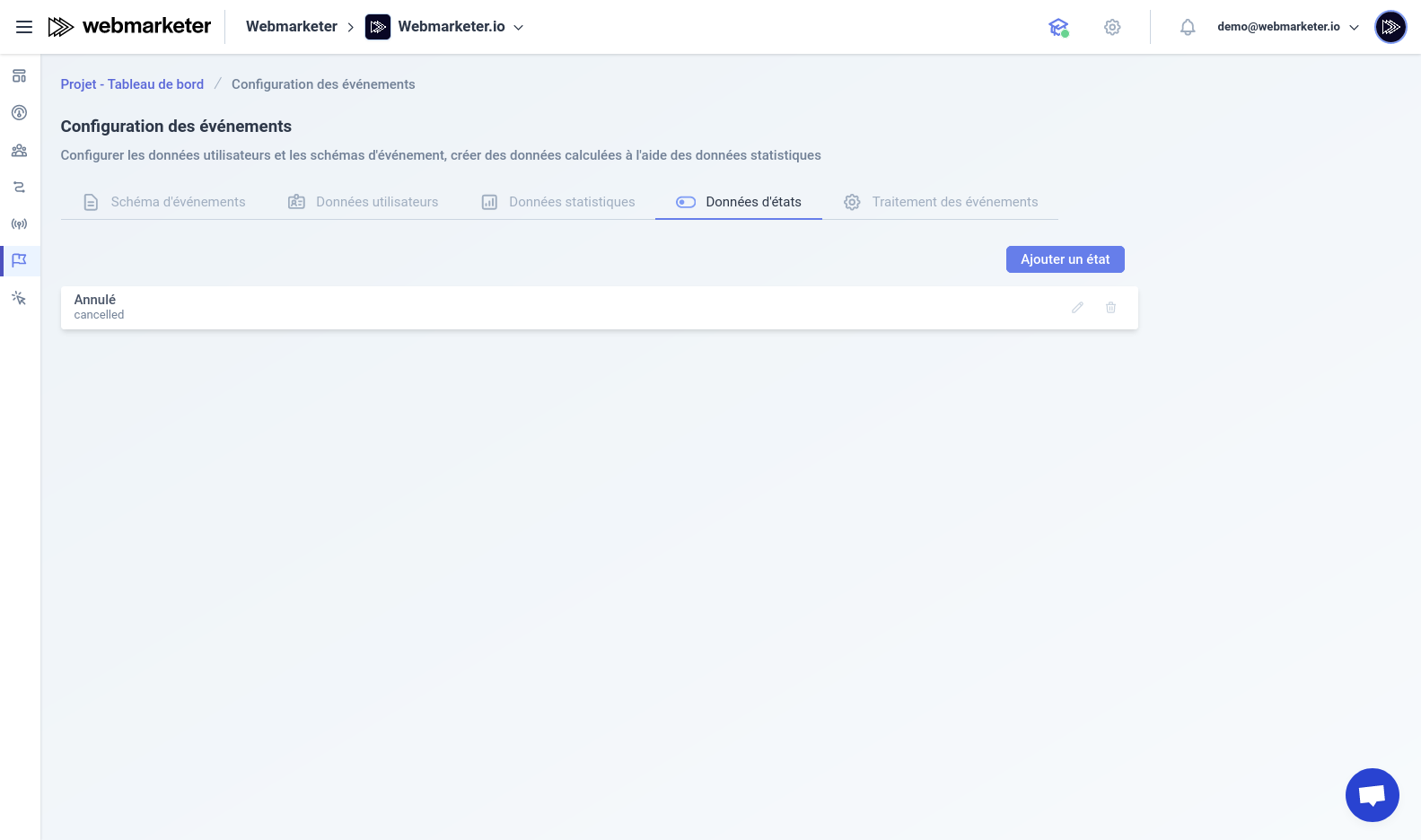
State field
State fields are used to analyze the contributions of your traffic sources more precisely; they have no type.
Configuring schemas
You can create several schemas, which lets you analyze several high-value events on your website.
When creating the schema, you can add plain fields or pick from the specific fields you created earlier.
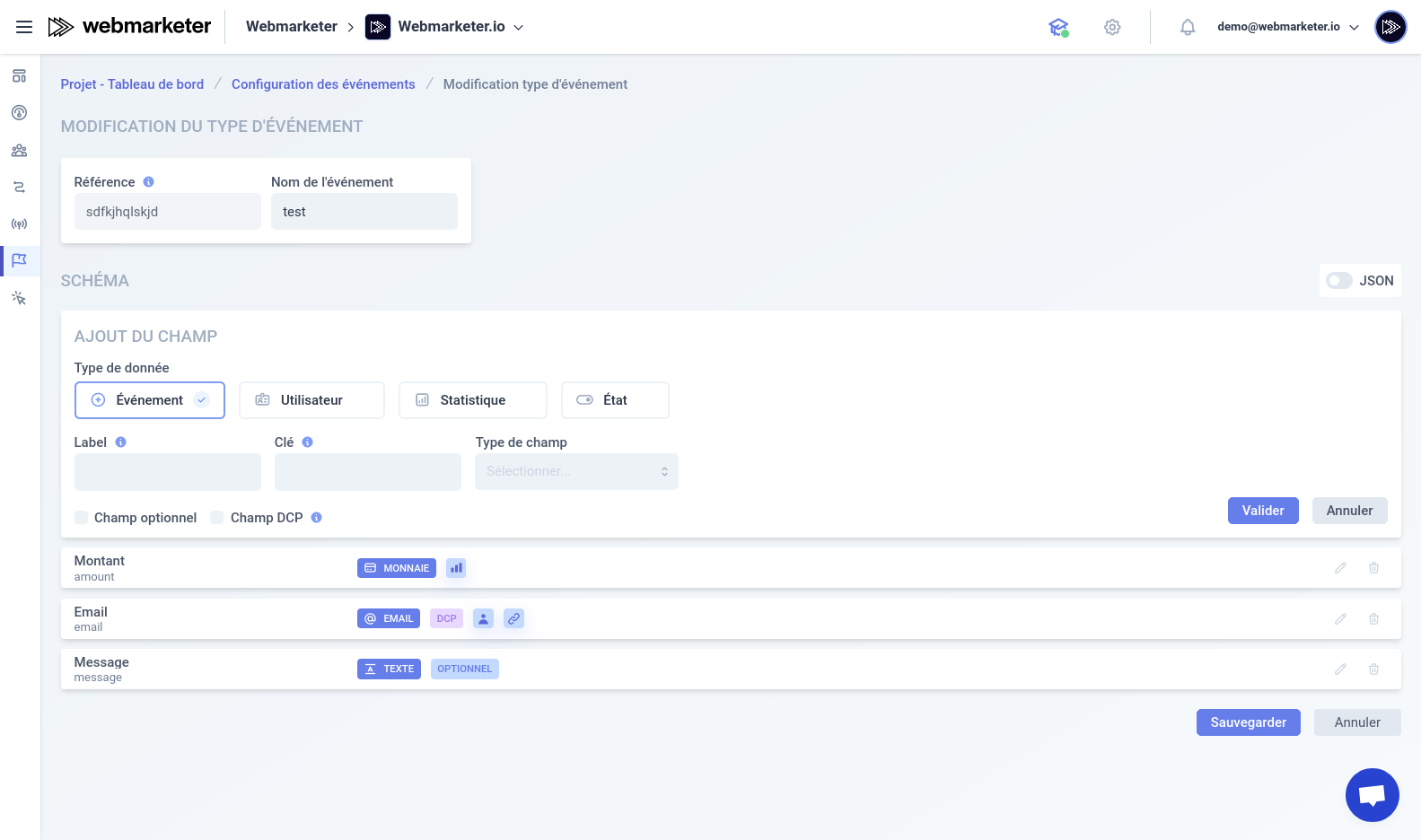
When you add a field to your event schema, you can define its key, which will be used when Webmarketer receives the event.
By default, all fields of an event schema are required, but you can make them optional by ticking the optional switch.