Configuring your project for GDPR
Before you start sending your events to Webmarketer, you can configure the retention rules for personal data. This configuration lets you fine-tune the anonymization logic applied to the information you collect.
To learn more about the anonymization process, see the Data anonymization page.
PII fields
Whether data is personal is defined at the same time as you declare your event or user fields.
If you followed the user and event field configuration guides, your fields should already be set up correctly. If not, feel free to go back to those two guides.

Example of PII field configuration
Retention period
The retention period for personal data can be configured at several levels:
- Globally, at the project level
- On each event type
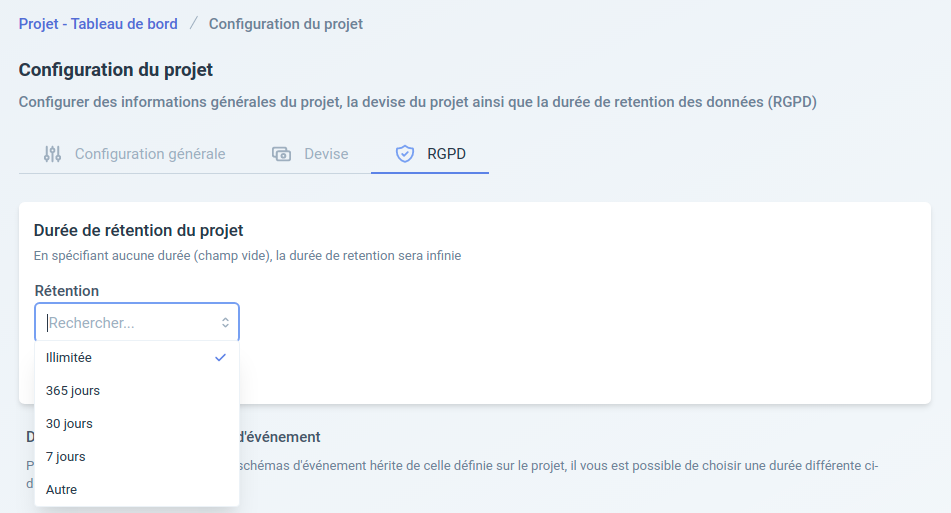
All data retention options are configurable directly from the project configuration page, GDPR tab.
Project-wide retention period
This setting is the default for your project: the specified period is automatically applied to every event type of the project for which no specific period has been configured (see the next section).
The most common periods are offered in a list, but you can also choose a custom period.
By choosing unlimited retention, you tell Webmarketer that you want personal data to never be anonymized. You can use this option if your data is not subject to regulation, or if you do not want to use the feature.
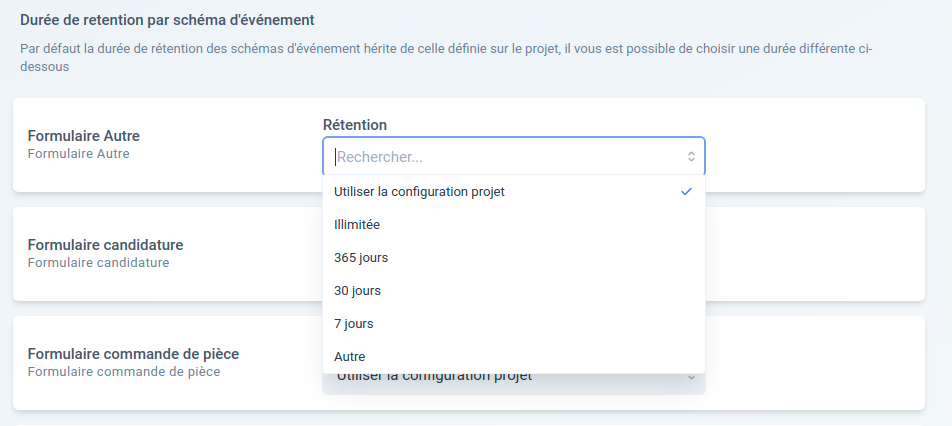
On top of the global setting, the retention period can also be configured more precisely for each event type.
Retention period of an event type
By default, every event type created within your project inherits the project-wide retention period.
Since different event types may serve different purposes, you may want to configure the retention period independently for a given event type.
The Retention period per event type section lists every event type in your project and lets you specify, for each one, a setting that takes precedence over the project-wide setting.