Phone number handling
Phone numbers get special treatment, because the same number can be sent in several formats.
In France, for example, several notations can refer to the same number:
- National format:
06 00 00 00 00 - International format:
+33 6 00 00 00 00
The problem
To reconcile users, Webmarketer can rely on the user fields sent within an event, when those fields are declared as identification fields.
In order to compare incoming numbers with the ones already known, all numbers are normalized to the international format.
Unfortunately, it is not always possible to tell which country a number sent in a national format belongs to. Countries other than France use 10-digit numbers, for instance (Algeria, Belgium, Russia).
So sending our 06 00 00 00 00 number could mean a French, Algerian, Belgian or Russian number. Its international format is therefore potentially:
- French: +33 6 00 00 00 00
- Algerian: +213 6 00 00 00 00
- Belgian: +32 6 00 00 00 00
- Russian: +7 6 00 00 00 00
The combinations above are given as an illustration and do not necessarily correspond to valid numbers in those countries. Without country codes, however, ambiguities can arise if your marketing activity spans several countries.
To try and resolve that ambiguity, Webmarketer lets you declare phone number handling preferences. That solution is not ideal, but it lets you get started with Webmarketer quickly, without having to change the forms where phone numbers are entered.
Interim solution
Webmarketer lets you define an order of preference for handling numbers.
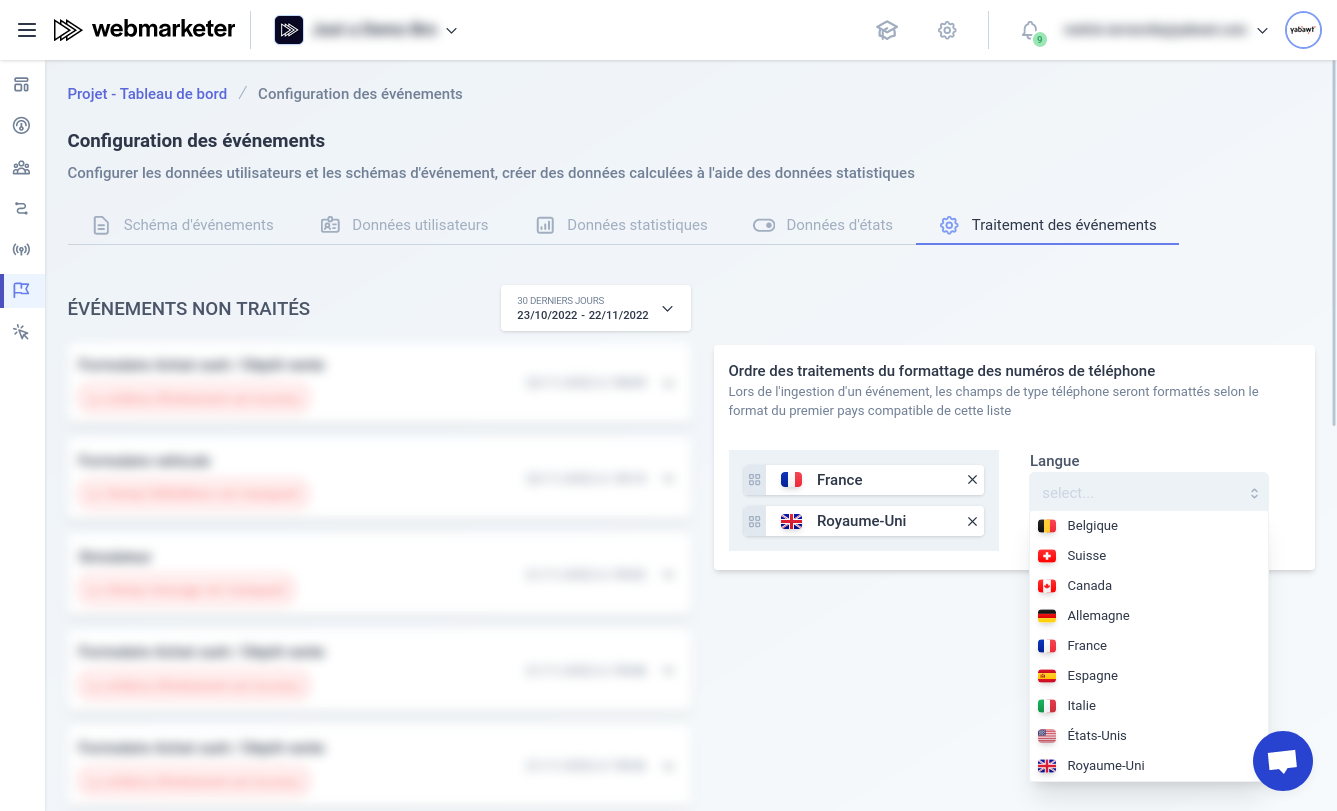
Selecting handling preferences
When a number is sent in a national format, Webmarketer tries, following the order of the list, to convert the number to the international format.
As soon as a number is valid for a country, that country's code is used to format it in the international format.
Ideal solution
Handy as it is to get started quickly with Webmarketer, the interim solution is not optimal.
If a large number of events are sent with numbers whose country code differs from the first choice in that list, we recommend changing your phone number inputs so they collect numbers in the international format.
Collecting in the international format improves the quality of the collected data, giving you better segmentation of your users for your future marketing campaigns.
To make entering numbers in the international format less tedious, some JavaScript libraries improve the user experience by suggesting or inferring the number's country:
